MCP Servers
The XGENIA AI Agents is in early alpha. This tab changes often.
Model Context Protocol servers extend the assistant with tools XGENIA does not ship — your own API, a documentation server, a database, an internal service. Once a server is connected, its tools sit alongside the built-in ones and the AI calls them when they fit.
Open the Provider & Tools gear, then the MCP Servers tab.
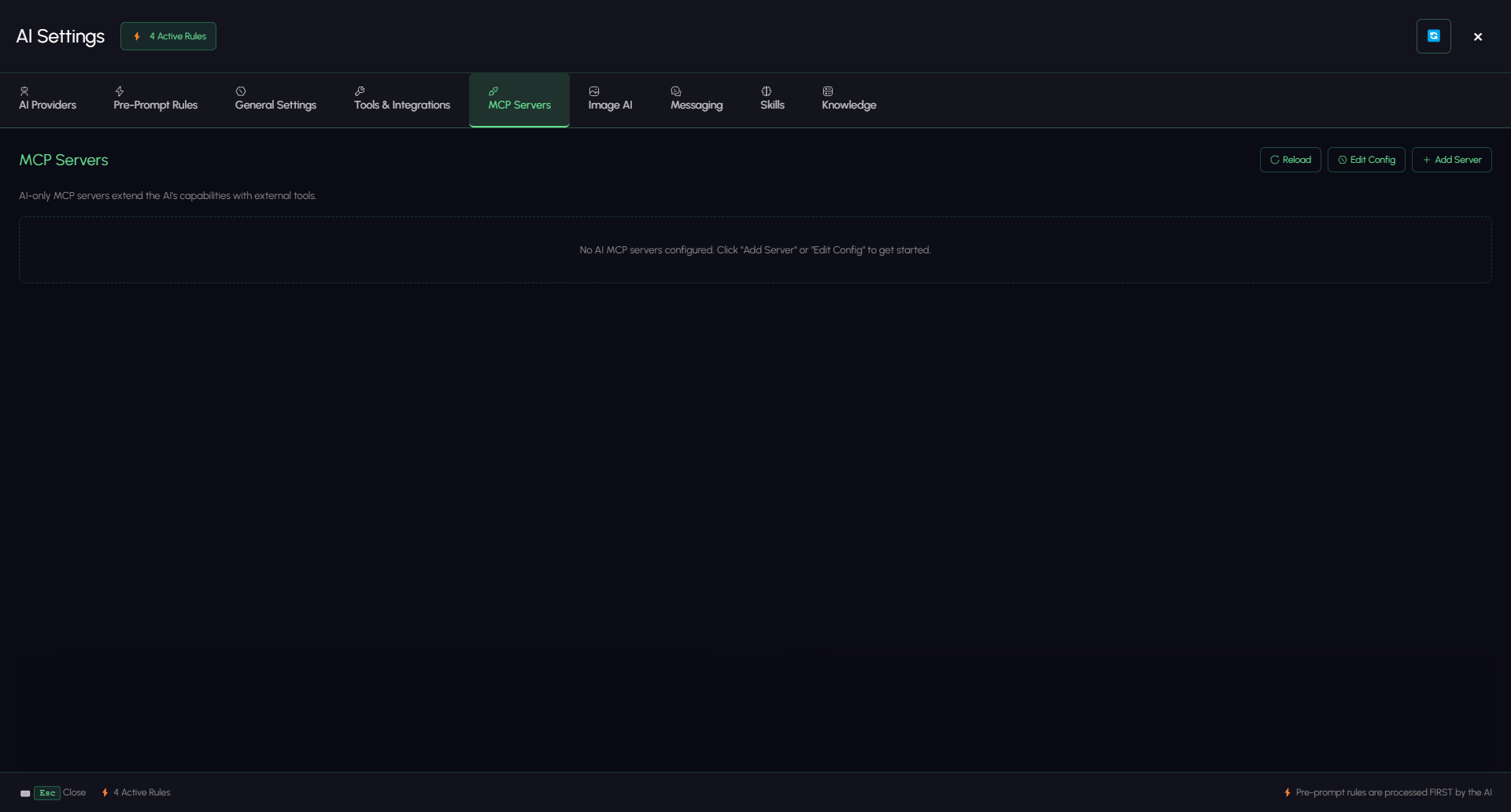
These servers are AI-only: they give the assistant new abilities. They do not add nodes to your project.
This page is about servers XGENIA calls. XGENIA is also an MCP server itself — the xgenia server lets an outside agent such as Claude Code launch the editor, open a project, type into this very Chat panel and read the answers back. See Driving XGENIA from Claude Code.
Adding a server
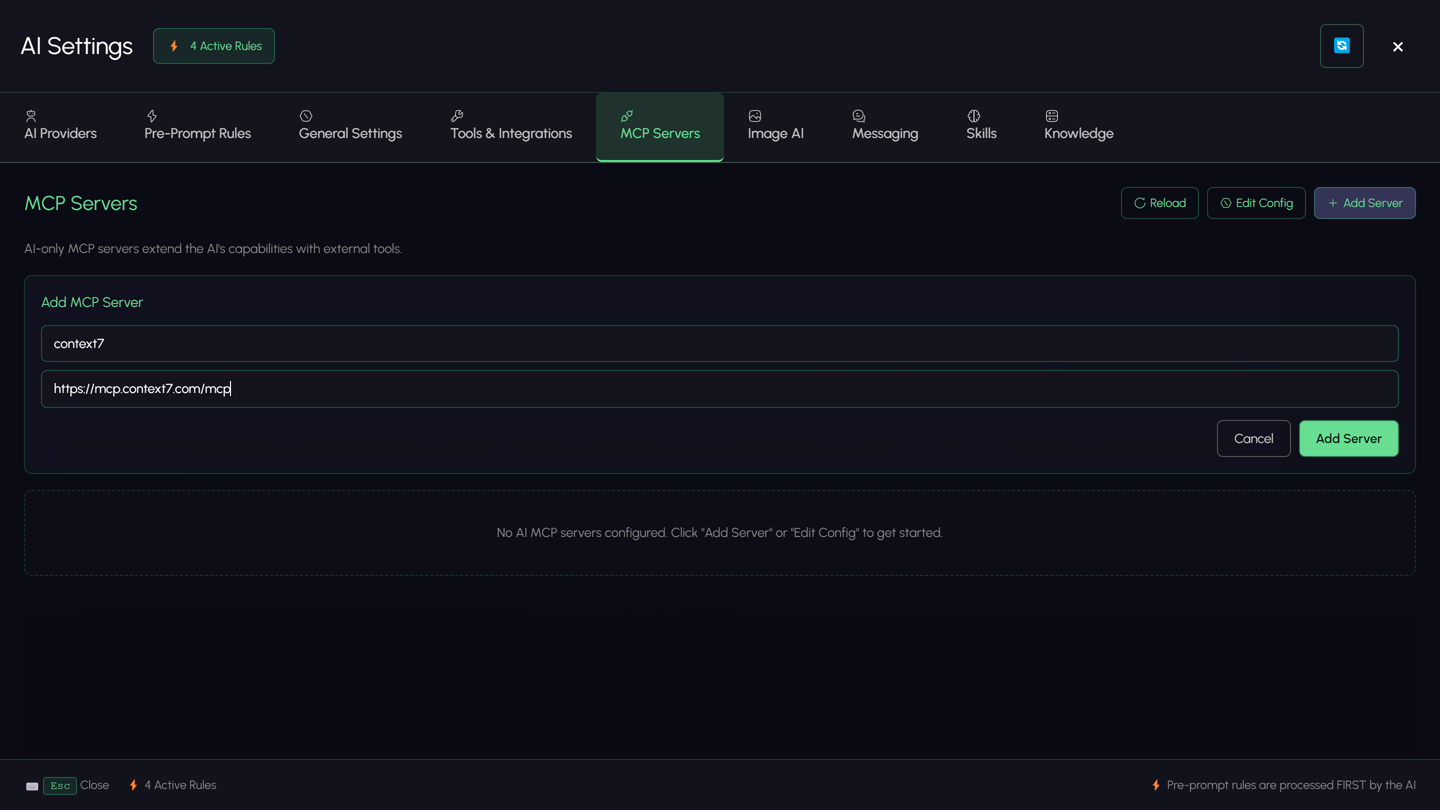
Click Add Server and fill in two fields:
| Field | Example |
|---|---|
| Server name | my-api |
| Server URL | https://docs.fal.ai/mcp |
The server appears in the list and the panel connects to it, then lists the tools it exposes.
Editing the config directly
Click Edit Config to open the raw JSON. The config lives at ~/.xgenia/ai-mcp-servers.json, and the path is shown under the tab heading.
{
  "mcpServers": {
    "my-api": {
      "serverUrl": "https://api.example.com/mcp"
    },
    "local-tool": {
      "command": "npx",
      "args": ["-y", "@example/mcp-server"],
      "env": { "API_TOKEN": "…" }
    },
    "paused": {
      "serverUrl": "https://example.com/mcp",
      "disabled": true
    }
  }
}
| Key | Meaning |
|---|---|
serverUrl | HTTP server endpoint |
command / args | A stdio server started as a local process |
env | Environment variables injected into a stdio server |
disabled | Keep the entry but do not connect |
Save & Reload validates the JSON and reconnects. Invalid JSON is reported inline and nothing is saved.
Server status
Each server in the list shows its connection state and the tools it exposes.
| Status | Meaning |
|---|---|
| disconnected | Not connected — usually disabled, or not started yet |
| connecting | Handshake in progress |
| connected | Ready; its tools are available to the AI |
| error | The failure reason is shown on the card |
Reload re-reads the config and reconnects everything.
Using MCP tools
You do not invoke them directly — mention the capability and the AI picks the tool:
Look up the current Fal image models in the fal docs server and
tell me which ones support transparent backgrounds.
The AI can also discover servers, authenticate against one that needs it, and test a connection on request.
Troubleshooting
| Symptom | Check |
|---|---|
| Server stuck on connecting | The URL is reachable and speaks MCP over HTTP |
| error status | The message on the card — usually auth or a bad URL |
| Tools list is empty | The server connected but exposes nothing; check it on its own side |
| Config will not save | The inline JSON error — a trailing comma is the usual culprit |
| The AI ignores your server | Say what you want in terms of the capability, and confirm the server shows connected |