Build a Game with Claude Code
The XGENIA MCP server and AI Agents are in early alpha. Screens and tool results change between builds.
This page follows one real run: Claude Code was asked for "a slot game with a samurai theme, 5×3, with good animations" and drove the build through XGENIA without anyone touching the editor. The screenshots were taken by Claude Code from that project, over the same debugging connection the plugin uses. The run stopped before the game was finished — Step 6 shows why, and what to do about it.
It assumes the plugin is installed — see Driving XGENIA from Claude Code.
Who does what
Two AIs work on the game, and the run goes well when each sticks to its own job.
| Step | Claude Code | XGENIA AI panel |
|---|---|---|
| 1. Check | Is the editor up? Which model? What will it cost? | — |
| 2. Set up | Launch XGENIA, create the project | — |
| 3. Brief | Write what the player sees and does | — |
| 4. Build | Watch progress, stop it if it goes astray | Plan, generate art, build the screen, wire the maths |
| 5. Prove | Press SPIN in the running game, read the balance | Press SPIN and report what it saw |
| 6. Recover | Read errors, restart the editor, resume | Pick up where it left off |
You talk only to Claude Code. It talks to the panel.
Step 1 — Check before you spend
The first thing Claude Code does is xgenia_health. It answers four questions in one call: is XGENIA running, is a project open, is the chat panel mounted and idle, and which model will this run use, at what cost so far.
xgenia_health
→ running: true, target: "app", authenticated: true,
  chatModel: "Nemotron 3.5 Lightning:Free", chatCost: "$0.0000"
That last pair is the one that matters. A build is dozens of model calls; on the wrong model it is an expensive mistake (one ran up $94.63). Claude Code reads the model before sending a build prompt, and tells you if it is not what you expect.
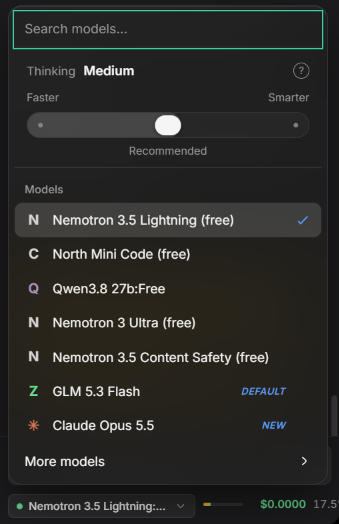
The panel's model menu. Free models are marked "(free)"; GLM 5.3 Flash is the default.
Step 2 — Launch and create the project
Release builds of XGENIA only accept a driver when the harness starts them, so if XGENIA is not running, Claude Code calls xgenia_launch rather than asking you to open it.
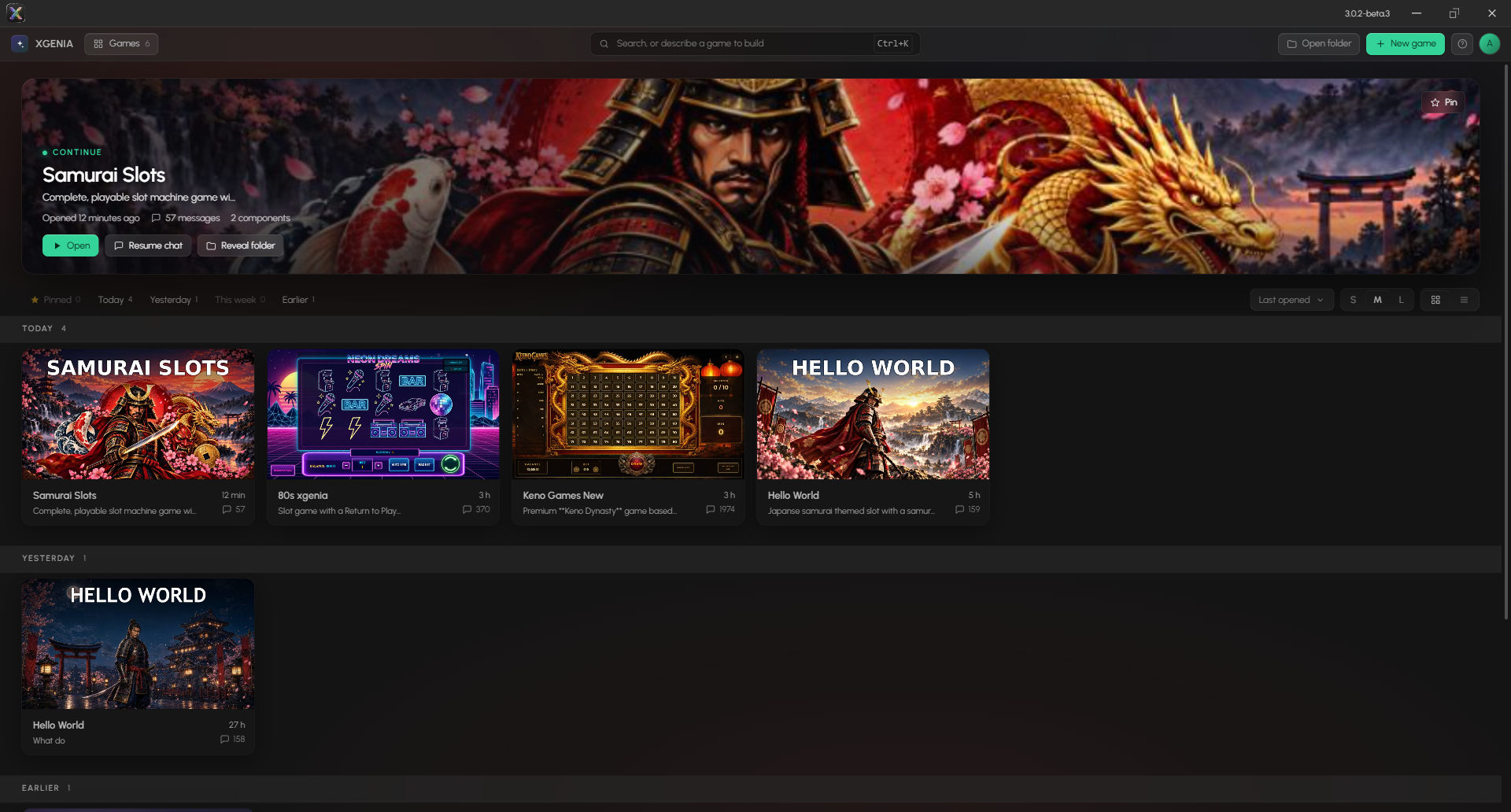
Then xgenia_new_project { name: "Samurai Slots" } creates the folder, opens the project and opens the chat panel. It refuses rather than overwrite a folder that already has something in it.
The New game dialog has the same AI entry point: describe the game on the left and the button changes to Start with AI. Claude Code can take over from there — xgenia_open_project attaches to whatever you created.
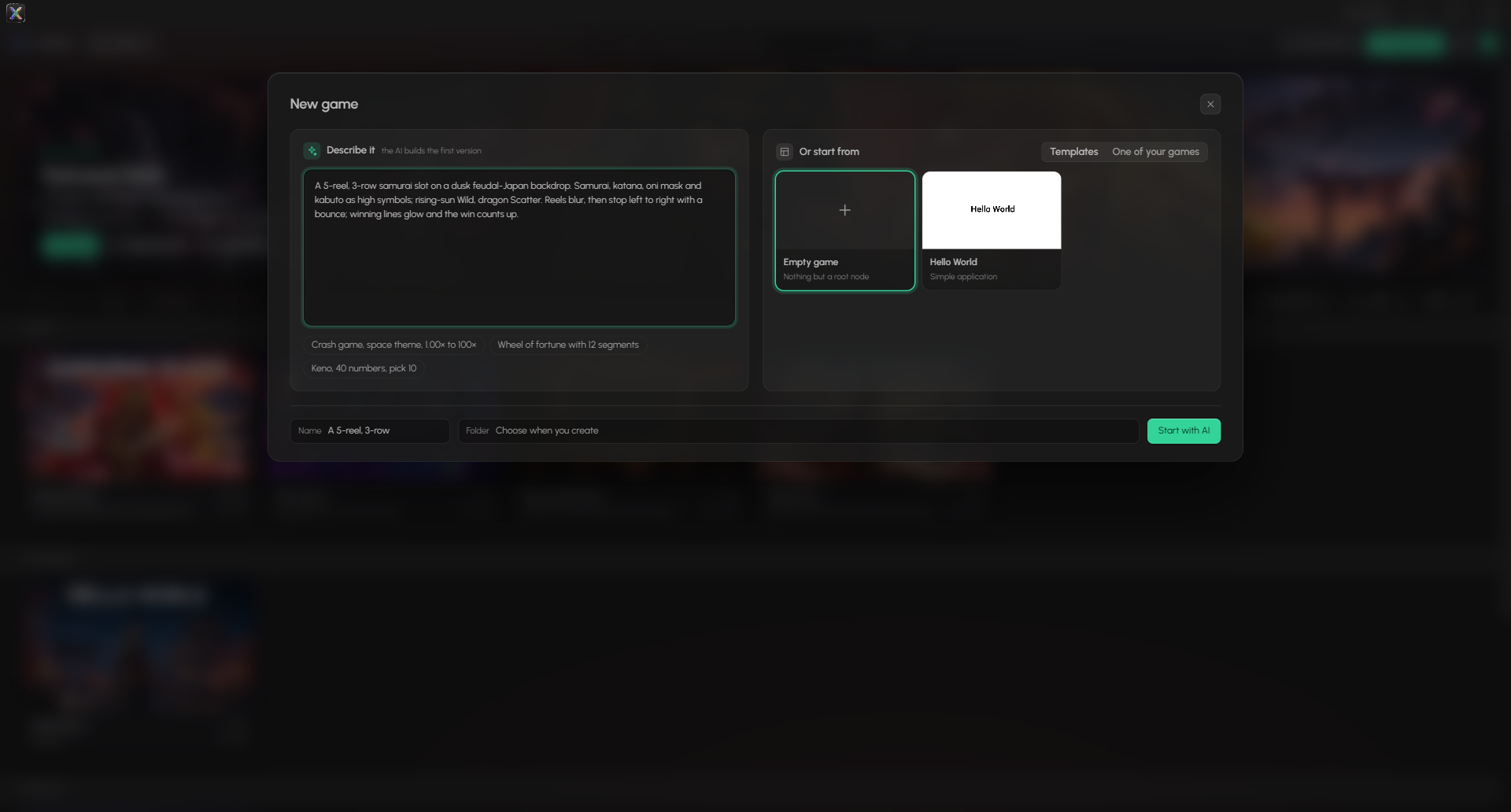
Step 3 — Write the brief
This is where the result is decided. Claude Code turns your one-line request into a brief that describes what the player sees and experiences — and leaves the how to the panel, which knows XGENIA's nodes far better than any outside agent.
The brief from this run, sent with xgenia_chat_send:
Build a complete, playable slot machine game with a samurai / feudal Japan theme.

What the player should see and experience:
- A 5 reel x 3 row grid of symbols in the centre of the screen, on a moody
  feudal-Japan backdrop (dusk sky, cherry blossom trees, a pagoda or dojo
  silhouette, red and gold accents).
- Themed symbols: high-value ones such as a samurai warrior, a katana, an oni
  mask, a kabuto helmet; low-value ones such as a cherry blossom, a koi fish, a
  paper lantern, a gold coin; plus a Wild (rising sun) and a Scatter (dragon).
- A balance display, a bet display with + and - buttons, a SPIN button, and a
  win display.
- Pressing SPIN takes the bet from the balance and spins all five reels. Good
  animations are the priority: reels blur and accelerate, then stop one after
  another from left to right with a slight bounce when each lands.
- Paylines are evaluated left to right (at least 10 lines). Winning symbols
  pulse or glow and the winning line is drawn across the grid. The win counts
  up in the win display and is added to the balance.
- Big wins get a bigger celebration (e.g. falling cherry blossom petals and a
  'BIG WIN' banner).
- SPIN is disabled while the reels are moving, and when the balance is lower
  than the bet.

When it is built, prove it from the running game, not from the graph: press
SPIN at least three times yourself and tell me what the balance and win
displays actually showed after each spin, read from the preview.
Notice what is not in it: no node names, no ports, no component layout. And notice the last paragraph — the brief asks for evidence from the running game, which is what Step 5 checks.
"Good animations" means nothing to a builder. "Reels blur and accelerate, then stop one after another from left to right with a slight bounce" is something it can build and you can check. Every adjective in your request should become something visible.
Step 4 — Watch the build
For a build, Claude Code sends with waitIdle: false and then polls xgenia_chat_read, a few minutes apart, reading only what is new (since: <last total>). That way it can stop a run that is going astray instead of paying for it to finish.
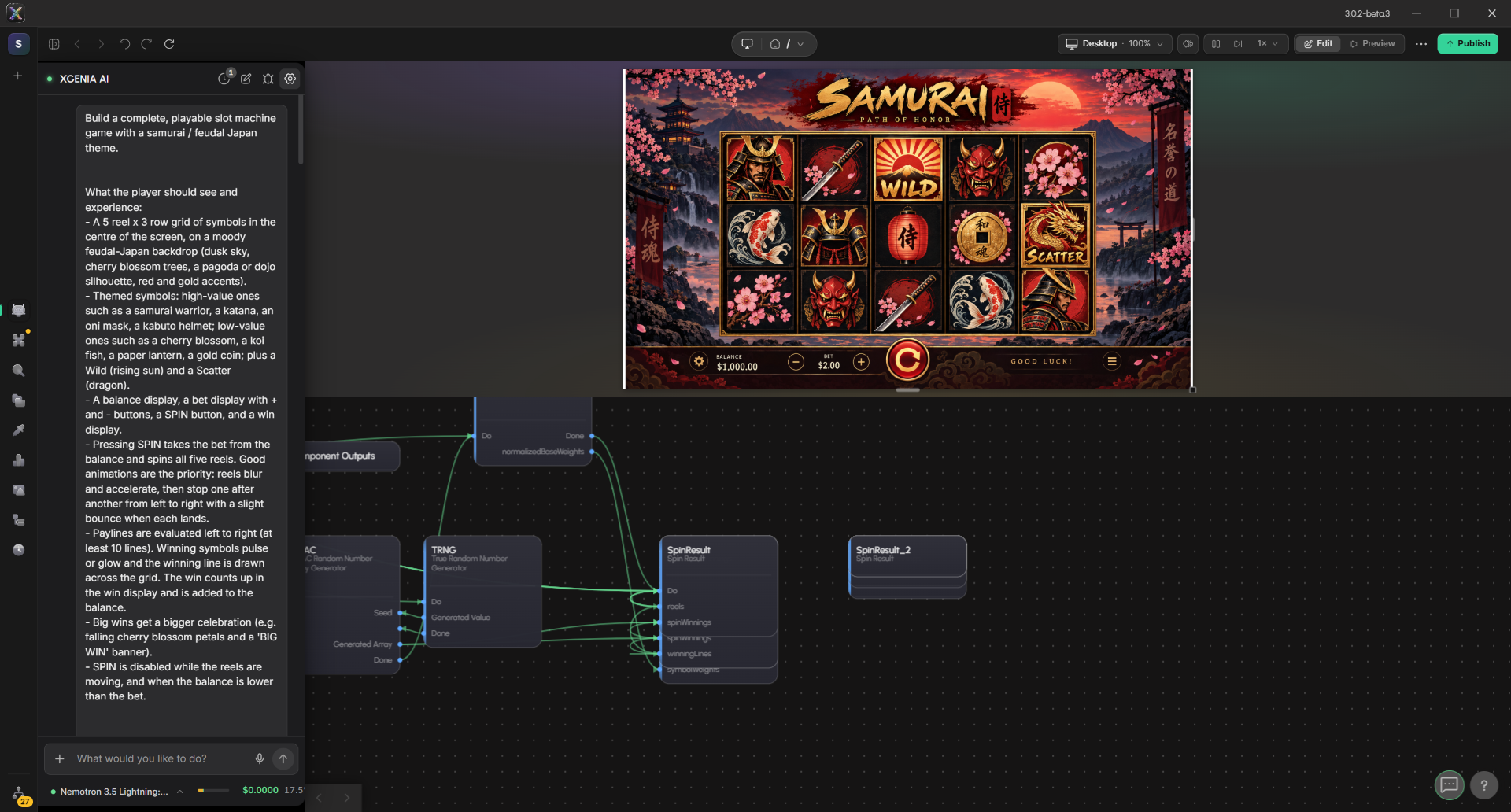
What the panel did in this run, in order:
- Declared the screen — the game's size, which every piece of art inherits.
- Generated key art — one image of the whole game screen.
- Cut it up — split the key art into the backdrop, the reel frame, the ten symbols and the buttons, and saved each into the project.
- Placed the art into a screen layout.
- Built the maths — random number generator, symbol weights, the spin result — and wired it to a SPIN input.
The key art is the moment the game first looks like itself:
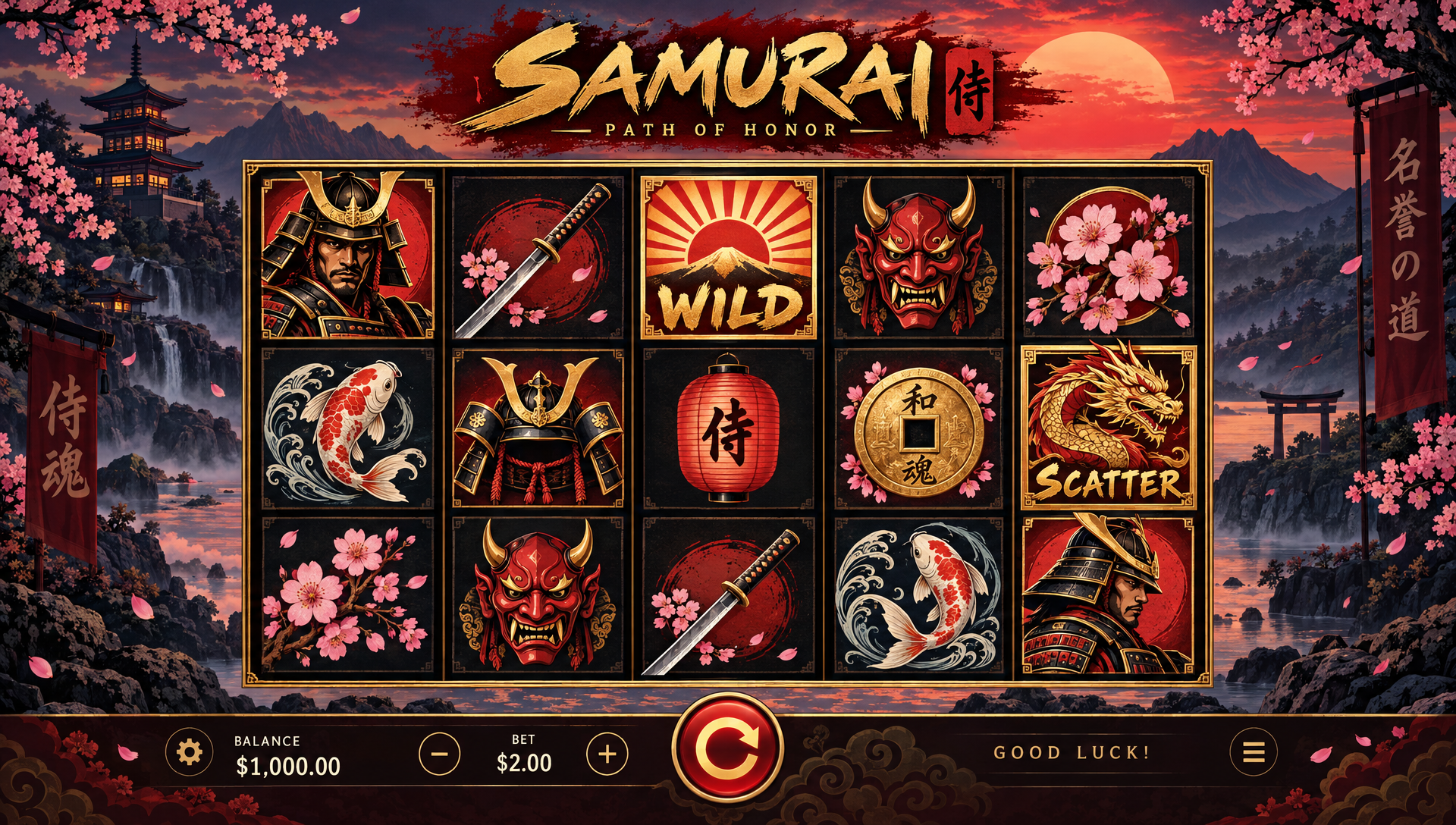
The panel posts an approval card for key art, and waits 300 seconds for an answer. Nobody answers an unattended run, so the art auto-approves and the whole build inherits it. The panel says so in its next message — in this run: "The key art was auto-approved (nobody answered within 300s)". If the look matters to you, be there for that card, or ask Claude Code to tell you when it appears.
Each step shows up in the transcript as a tool call, its result, and the AI's thinking:
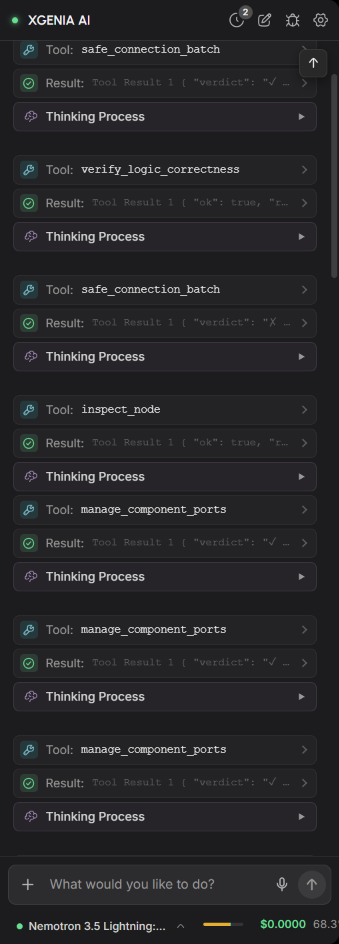
What Claude Code watches for while polling:
| Sign | What it means | What Claude Code does |
|---|---|---|
chatCost climbing fast | An expensive model or a loop | Stops the run and tells you |
| The same tool failing again and again | The AI is stuck on one mechanism | Reads the failures with xgenia_debug_query { tool, failuresOnly: true } |
| "Let me take a fresh approach" over and over | Thrashing — it leaves duplicate nodes behind | Stops it and sends a narrower prompt |
A **Model Error** message | The provider refused the turn | Reads the error before doing anything else (see Step 6) |
Step 5 — Prove it from the running game
When the panel says it is done, Claude Code does not take its word for it. It reads and presses the running game itself:
xgenia_preview_read                      → every labelled element and its current text
xgenia_preview_click { label: "Spin", times: 3, settleMs: 4000, readLabel: "Balance" }
xgenia_screenshot { region: "full" }
xgenia_preview_click returns the balance before and after each press, read from the game's own DOM. If the panel reported "the balance drops by the bet on every spin" and the balance did not move, Claude Code shows the panel that evidence and asks it to fix the wiring — the panel retracts cleanly when shown runtime evidence.
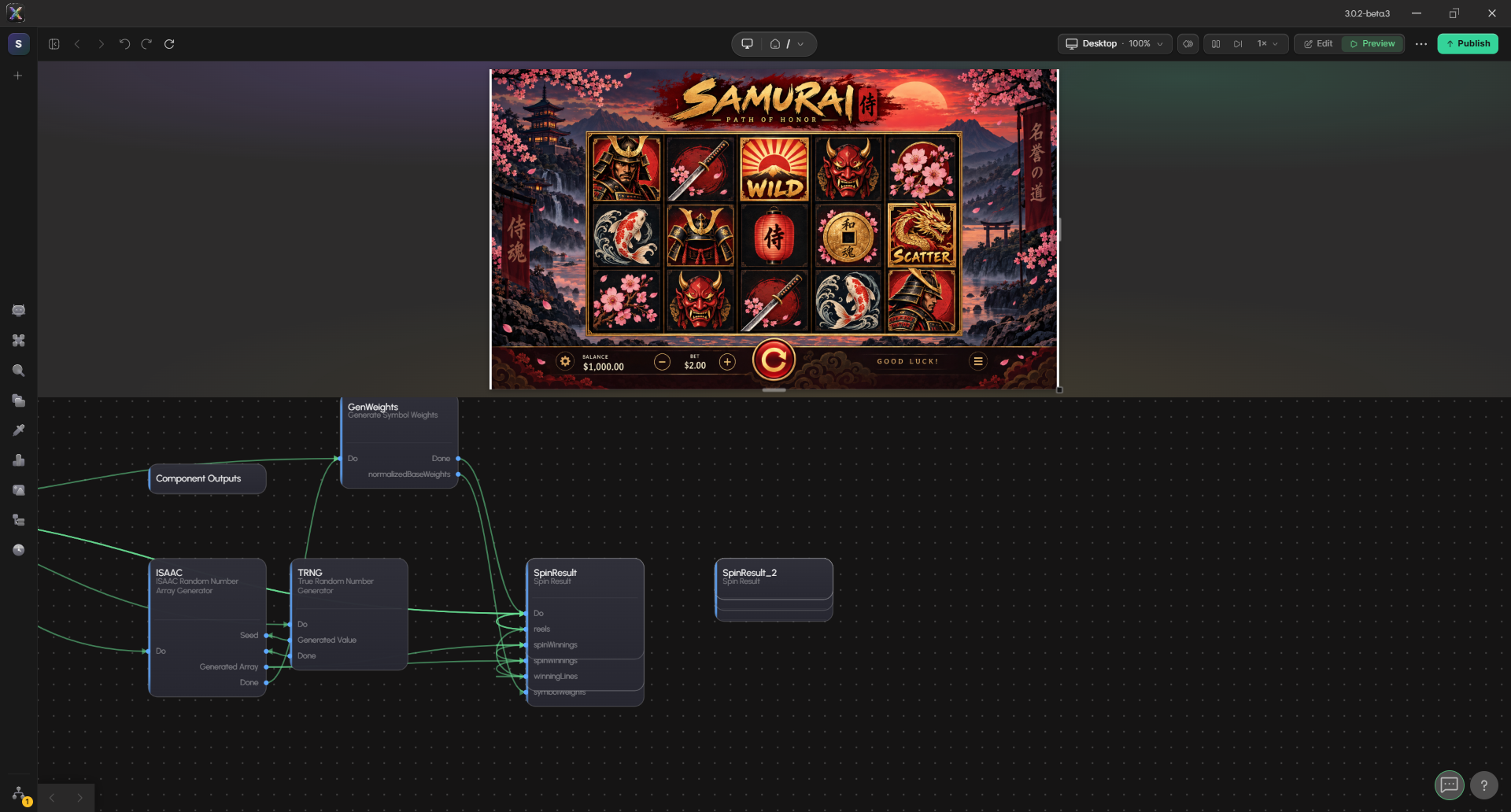
Step 6 — When it goes wrong
This run stopped partway through Step 4. Here is how that looked, and what Claude Code did.
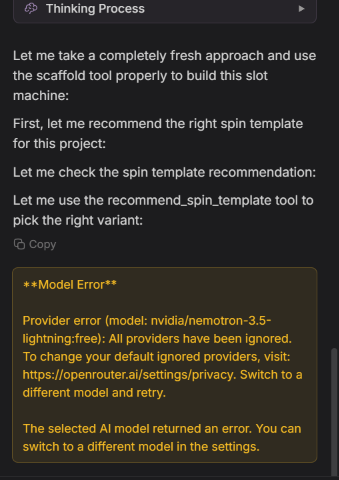
The run was on a free model. About 25 minutes in, OpenRouter stopped serving it: "All providers have been ignored" — the account's privacy settings did not allow the provider that model needed. A switch to another free model then hit the account's free-models-per-day limit, which covers every free model at once. Neither is a harness failure: xgenia_chat_read succeeded and returned the error as a message.
What Claude Code did:
- Stopped, rather than resending. The panel had already retried for two minutes; resending would only repeat the error.
- Explained the cause and asked you to decide — allow the provider, wait for the quota to reset, or move to a paid model — because each option costs something different.
- Kept the work. The key art, the pieces cut from it, the placed screen and the maths nodes are saved in the project. When the build resumes, it continues from there instead of starting over.
Other recoveries Claude Code handles on its own:
| What happened | Recovery |
|---|---|
| The editor froze | xgenia_restart — saves, relaunches, reopens the project. It then sends "continue — the editor restarted mid-turn; pick up exactly where you left off" |
| The chat panel was closed | xgenia_open_chat_panel |
| A tool call failed and the panel's explanation does not add up | xgenia_debug_export, then xgenia_debug_query on the failing tool |
| You were signed out | Stops and asks you to sign in — the harness never handles passwords |
Ask for it like this
You do not need to know any of the tool names. A request like this is enough:
Using the xgenia plugin, make me a 5×3 slot game with a samurai theme and good animations. Use the free NVIDIA model. Tell me before you spend anything, and press SPIN in the finished game yourself to check the balance changes.
Each sentence maps to a step above: the theme and layout become the brief, the model and spending go into the Step 1 check, and "press SPIN yourself" is Step 5.
Read next
- Driving XGENIA from Claude Code — install, environment, the cost rule, free-model limits.
- The xgenia-mcp Skill — prompting the panel, sharing one editor, the art loop, recovery.
- MCP Tool Reference — every tool and its arguments.
- AI Workflow overview — the same build, driven by hand from the Chat panel.