Workflow Overview
Let's take a look at the different concepts of the XGENIA workflow when building your applications, namely
- Building User Interfaces
- Page Navigation & Components
- Actions
- Working with Data
- The Cloud Database
- Business Logic
- Cloud Functions
- Collaboration
- Modules and Prefabs
Building user interfaces
Any app needs a great User Interface. In XGENIA it's easy and fast to build dynamic, reactive, beautiful user interfaces using the built in UI Controls. These controls are then arranged and layed out appropriately. XGENIA contains a library of highly customizable core UI controls. It's also possible to extend XGENIA with your own UI Controls, if needed.
Customizing UI Controls
Each UI control has properties that can be used for fine-grained customization. Here is a short overview of concepts important for building user interfaces:
-
Visual States Each UI control has a set of visual states, such as Hover, Pressed, etc., and the control properties can be set for each state individually. Learn more here.
-
Transitions You can control transition animations between each visual state using the animation editor.
-
Variants Define reusable variants for your UI controls, including properties, visual states, and transitions. Build your own design systems to enhance productivity. Learn more here
Page Navigation & Components
When you start building more complete frontends, you will be working with components. A component can be an entire page in your application; these are called Page Components, or they can be a smaller part of your UI that you want to reuse in many places; these are called Visual Components. Pages and visual components are both found in the Components panel in the sidebar. You can also switch the preview to Edit mode and click an element to jump straight to its node — see Editing in the viewport.
It's simple to create page navigation but the system is also flexible enough to build more complex navigation flows, such as nested navigation. XGENIA supports state of the art web app navigation, with permalinks and encoding of data in URLs. Here is a short overview of concepts important for building pages and navigation:
-
The Page, Page Router and Navigate nodes are the essence of the navigation system. Learn how to build basic page navigation in this guide and more advanced multi level navigation here.
-
Another feature of the navigation is Popups, these can be used to show or collect transient information. Learn more about popups here
Actions
An important concept in XGENIA, as briefly shown above, is action nodes. These nodes perform some sort of action when triggered by a signal, for example, from a UI control (such as a button click) or from another action node (such as when an action has completed successfully or failed). XGENIA contains a wide variety of action nodes for most common basic tasks, including Navigation and Reading and Writing Data.
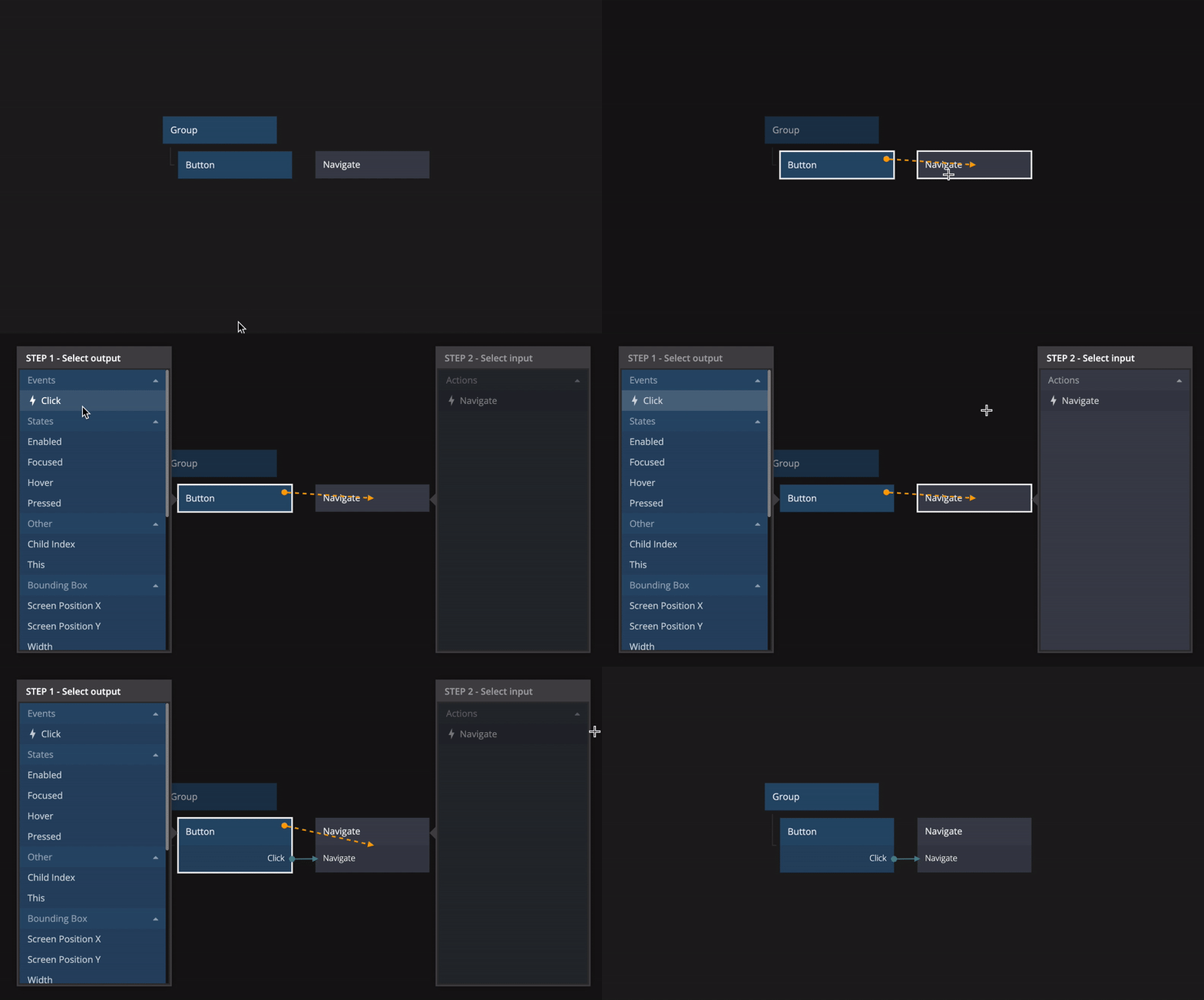
Connections between nodes is a core concept in XGENIA, this is how you connect your user interface to data and actions.
Working with data
When you have built some of your frontend, added pages, components and navigation it is time to connect dynamic data to your user interfaces. This is what makes your application come alive, and in XGENIA you have a neat visual way to build modern reactive user interfaces.
There are three basic concepts for data in XGENIA, the Variable, Object and Array nodes. You can learn more about how to work with these here.
A very common pattern in web applications frontends are different types of lists or other dynamic repeating content. Learn how to do that in XGENIA here.
Business Logic
As mentioned above you use action nodes to perform some sort of business logic action in XGENIA. There are a wide variety of action nodes built in for most basic tasks such as navigating between pages, or storing data in the database. Data and signals from your UI controls are connected to your action nodes, and you can connect them together to make flows.
But most applications require some sort of more advanced business logic, for instance processing data from the database or maybe logic to create more advanced UI components. You can build most basic logic with the built in action nodes, but when you require more complex actions it is very easy and fast to add code to your projects.
Not a skilled software developer? Don't worry; the philosophy of XGENIA is to focus on the code that matters and remove much of the unnecessary complexities of software development. If you have a basic knowledge of JavaScript, you will go a long way with XGENIA.
The cloud services
Now it's time to take a look at the second part of the XGENIA platform, the cloud services. This is an important piece of any web application. You can create and manage cloud databases, or cloud services as they are refered to as, from within your XGENIA project.
The XGENIA cloud services will provide your applications with several important functions:
-
Reading and Writing Data: You can create classes to store records, which can then be read, filtered, and presented in your application. Dive in here to start learning about cloud services.
-
User Management. Most applications need users, you can sign up users, log in, manage passwords etc.
-
Access Control: When you have users and data, you need to control which users can access what data. This can be done through roles in your cloud services. Learn more here.
-
Cloud Functions: You are not limited to creating logic on the frontend; you can also create cloud functions that perform tasks running in the cloud. This is especially useful for operations like database operations requiring admin access and background jobs.
Cloud Functions
Using the same techniques to build logic as described above you can build logic that runs in the cloud, this is called a Cloud Function.
The Cloud Functions panel is not in the current editor's sidebar. For game maths, backend logic is authored under the Maths RGS panel instead and deployed to the RGS platform — see XGENIA RGS. The guides in this section still describe how cloud functions work.
This is very useful for many different functions such as:
-
Access the database in admin mode, do things that should not be possible from the client for security reasons such as resetting passwords and verifying emails.
-
Connecting to external services using methods such as OAuth or webhooks requires logic to be executed in the cloud. In such cases, cloud functions can be incredibly helpful.
-
Performing queries is significantly faster in the cloud, so if you need to make numerous database queries and combine the results, you can achieve high performance by doing this in the cloud.
Collaboration
Finally, as your application grows, you'll want to collaborate with colleagues and friends. XGENIA has Git built in: the Version control panel lets you commit, branch and merge — and can publish your project straight to a GitHub repository. Collaborators clone the repository and open it in XGENIA, then everyone shares work by pushing and pulling.
Learn more about the collaboration and version control capabilities here.
Modules and Prefabs
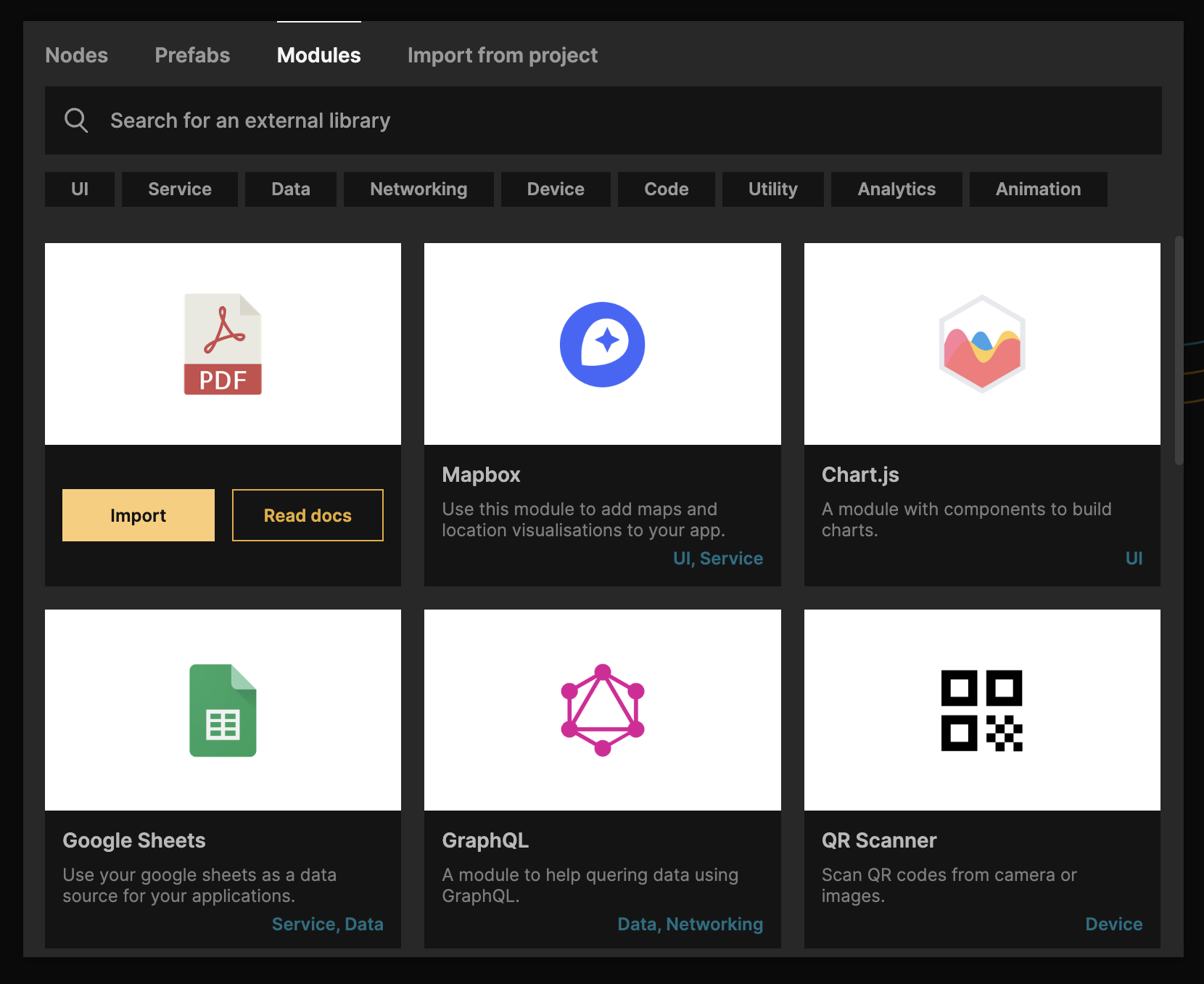
In XGENIA you can also import modules developed by others or develop your own modules. You can find a list of current modules provided by XGENIA here. You can also build your own modules and extensions, for example wrapping existing Javascript libraries. You can read more about it here.
An important concept in XGENIA that will take your productivity to the next level is prefabs. These are pre-built components that can be cloned into your project. You can use them as they are or as a starting point for modification and extension. It's also a great way to learn some of the best development patterns in XGENIA.
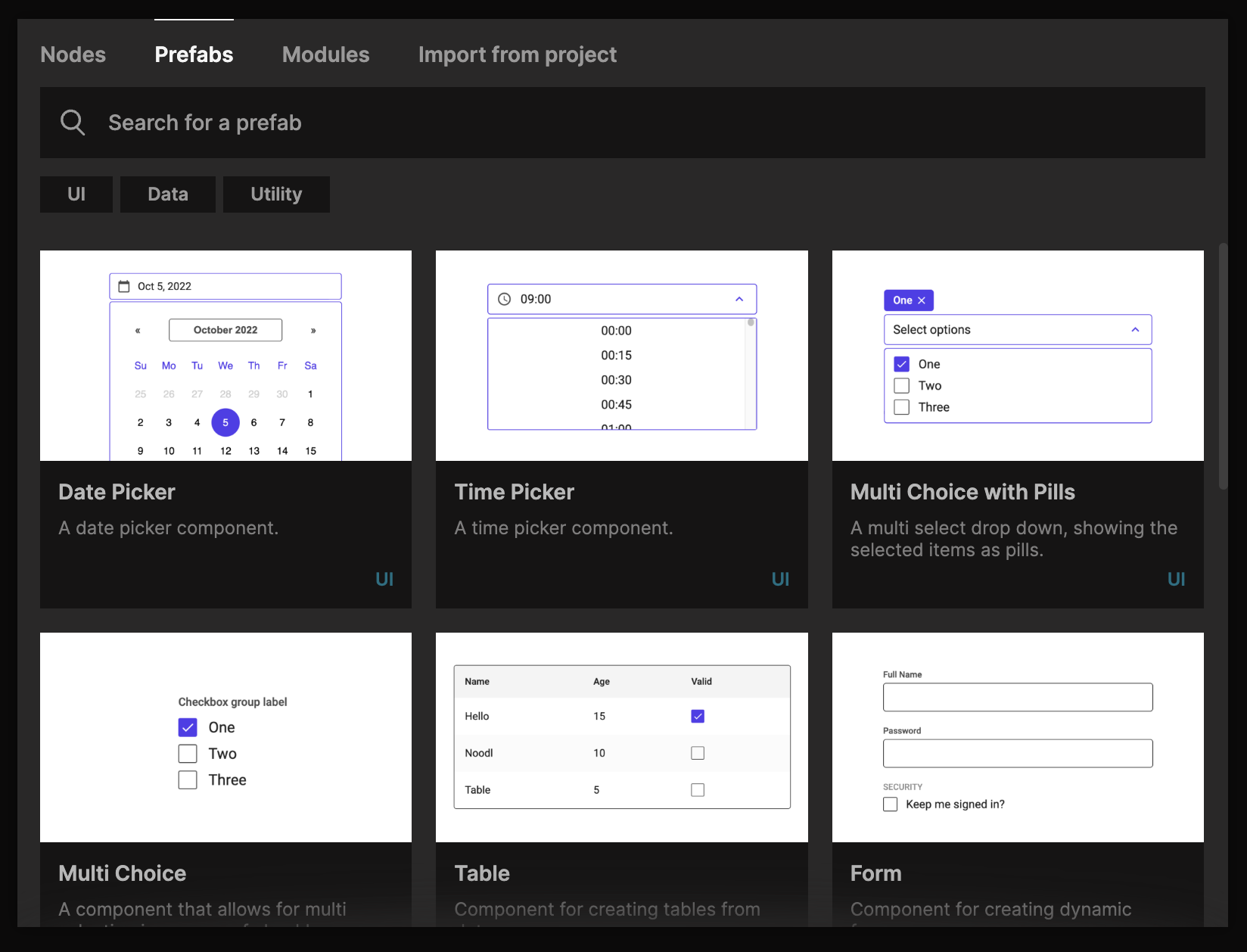
Any components that you build can also be turned into prefabs, and submitted to the XGENIA Docs repo for the whole community to use. Read more about it here.